

Trucell service and solution pages related to this reference customer
We sell and support Dell, HP, and Lenovo workstations.
Operational workstation design
Workstations built for operational performance, not only hardware specs
Workstations are where application performance, user experience, and IT operations meet.
We scope and supply business, CAD, engineering, and clinical imaging profiles on Dell, HP, and Lenovo platforms with ISV alignment, consistent build standards, and warranty paths matched to how you support users—so helpdesks diagnose faster, security controls stick, refreshes stay planned, and clinical or engineering teams spend less time fighting the endpoint.
We typically reply within one business day of a complete brief. Start with the brief when you want a practical scoped recommendation; download the checklist first if you are still aligning stakeholders internally.
Workstations specified and supplied by Trucell
Workstations supplied for clinical, CAD, engineering, and office use, with Dell, HP, and Lenovo recommended where ISV-certified platforms are required. Builds are scoped with GPU and display-calibration context where relevant, then aligned to manufacturer warranty options, including mission-critical response windows.
This row scrolls horizontally. Tab through links in order. With reduced motion enabled, scroll the row yourself instead of auto-play.
- Quantum Radiology Group (opens in new tab) Medical imaging Australia
- Pulse Medical Imaging (opens in new tab) Medical imaging Australia
Trucell service and solution pages related to this reference customer
ServicesSolutions
When workstation choices stay stuck between procurement and production risk
Generic desktops and ad hoc upgrades create hidden tax: unstable ISV stacks, slow diagnosis on non-standard builds, and security exceptions that multiply across the estate.
- Specification drift means CAD, engineering, or clinical clients sit on hardware that passed a budget review but fails certification, peak load, or display requirements when workloads grow.
- Every unique build is its own incident pattern: the service desk loses the baseline that makes remote fix and patching predictable.
- Lifecycle and warranty choices get made late, so refreshes happen as emergency spend instead of aligned to software roadmaps and budget cycles.
Workstations should be an operational decision, not only a catalogue pick. Trucell scopes profiles so performance, certification, security, and support reality stay in one thread from brief through handover.
Who this is for
Engineers, architecture and built-environment practices, and Australian organisations standardising or refreshing business, CAD, engineering, and clinical imaging endpoints, where performance, ISV rules, and service desk throughput all matter.
Engineering, architecture, and CAD
CPU, GPU, memory, and storage matched to solver, BIM, and model peaks so structural, MEP, civil, and general design work stays responsive as data sets grow.
Diagnostic and review environments
Profiles aligned with PACS client requirements, display topology, and vendor certification so image presentation and support boundaries stay defensible.
IT and operations leads
Named standard builds, warranty tiers, and handover artefacts so imaging, deployment, and helpdesk teams share one definition of “good.”
What Trucell provides
Dell, HP, and Lenovo workstation profiles with ISV and workflow context, software licensing, OS and application imaging, deployment and lifecycle alignment, and ongoing support and monitoring with clear ownership after go-live.
Specification, licensing, and shortlist
Workflow, applications, certification constraints, display class, security expectations, and volume captured into practical profiles, with software licensing aligned to your ISVs and entitlements where you need it.
OS and application imaging
Consistent OS and application image lines, baselines, and policy targets so rollouts, patching, and compliance do not depend on one-off builds that weaken the estate.
Ongoing support and monitoring
Trucell service desk or agreed runbook, RMM and monitoring hooks, build documentation, and warranty and manufacturer boundaries so day-to-day ownership is explicit after launch.
What this ties into
Workstations sit inside a wider stack. Scoping names the touchpoints so deployment does not fight the rest of IT.
Applications and imaging
PACS, RIS, CAD, and line-of-business dependencies reflected in GPU, memory, and display choices with clear vendor certification posture.
Identity and access
Alignment with VPN, conditional access, and remote access patterns your security model already assumes.
Support and lifecycle
Manufacturer response tiers, spare strategy, and refresh cadence tied to how you actually restore users under pressure.
From brief to deployable profiles
Steps flex with governance and volume; sequencing stays deliberate.
Scope
Capture workflow, applications, ISV rules, imaging constraints, security expectations, remote support model, and lifecycle horizon.
Recommend
Deliver standard profiles across Dell, HP, and Lenovo with performance rationale, build notes, and clear boundaries for helpdesk versus manufacturer ownership.
Deploy and hand over
Align rollout, warranty uplift, monitoring or RMM hooks if required, and run-state ownership so day-two operations stay stable after go-live.
Outcomes you should expect, and failure modes we avoid
Stakeholders should see certified, supportable profiles and one accountable thread, not only a hardware quote.
What good looks like
- Predictable performance under real workloads with repeatable builds that shorten incidents and patching cycles.
- Clear imaging and application fit where clinical or engineering certification applies, with display and GPU choices stakeholders can defend.
- Lifecycle and warranty aligned to software demands and budget rhythm instead of emergency replacement.
Where programmes waste money
- Buying on spreadsheet specs alone, then paying twice to retrofit ISV-compliant GPU or display stacks.
- Letting configuration drift accumulate so every desk becomes a special case for the service desk.
- Deferring warranty and refresh decisions until outages force urgent, unfavourable procurement.
Need urgent workstation uptime planning?
Speak with Trucell support to triage immediate workstation risk before governance or procurement reviews, including manufacturer warranty response options for mission-critical teams.
Send a workstation brief and continue to contact intake
Share key details now so our team can triage fit quickly and return a practical recommendation.
What happens after you brief us
We triage each brief against workload, ISV rules, imaging constraints where they apply, and warranty reality—so you get a shortlist you can defend in procurement and governance, not spreadsheet specs alone. Published references include workstation estates we specified and supplied for organisations such as Quantum Radiology Group and Pulse Medical Imaging.
Need stakeholder-ready scope before procurement review?
Use the checklist for internal alignment, then send your brief so we can return a practical workstation recommendation.
One direct path for buyers ready now and one transitional path for teams still building internal consensus.
Workstation solution FAQ
Common questions teams ask before approving workstation refresh scope, ISV alignment, and deployment plans.
What details do you need to scope a workstation profile?
We usually need workflow type, key applications and any ISV certification requirements, display class for imaging or general use, security and remote-support expectations, target warranty response, deployment volume, and timeline. That is enough to produce a practical first recommendation.
Can Trucell align workstation deployment with existing PACS, RIS, and line-of-business operations?
Yes. We align workstation profiles with your application stack, vendor certification expectations, and support model so deployment and run-state operations stay consistent after handover, including diagnostic requirements for imaging endpoints where they apply.
How do standardised builds help IT and the service desk?
Standard profiles reduce configuration drift, make patching and application packaging predictable, and give remote support a known baseline when troubleshooting. That translates into faster diagnosis, fewer one-off fixes, and clearer lifecycle planning for refreshes.
How quickly can we move from brief to shortlist?
Most teams receive a scoped recommendation quickly after submitting a complete brief. Final timing depends on site complexity, quantity, and governance approvals.
What problem does this workstation solution solve?
It replaces guesswork and inconsistent endpoints with ISV-aware, supportable workstation profiles matched to real workloads, so clinical, engineering, and business teams get predictable performance and IT gets builds they can patch, secure, and remediate without heroic exceptions.
What support is included after deployment?
Handover includes build documentation, warranty and escalation boundaries, and alignment to Trucell IT support or RMM services when you engage us for operations. Manufacturer hardware support follows the tiers you select; Trucell maps how incidents flow between service desk, field, and vendor.
Why involve Trucell instead of buying workstations from a retailer or direct from the manufacturer?
Australian MSP depth across specification, imaging and ISV context, deployment, and the same service relationship many clients already use for endpoints and incidents. You get accountable scoping and run-state alignment, not only a box ship.
Services that deliver this solution
Trucell service lines that scope, implement, and run the work behind this solution—with ownership and evidence your teams can trace through procurement and assurance reviews.
-
IT hardware procurement
IT hardware with distributor-backed supply, RFP-friendly evidence (ISO 9001, lifecycle, handover to HaloPSA and NinjaOne), and specs tied to capacity, IOPS, recovery, and clinical fit, not lowest bid in a cart.
Read more -
IT support
Managed support with HaloPSA, NinjaOne, Zabbix, and NetApp-aware runbooks: one accountable story for the desk, endpoints, monitoring, and backup, with regional coverage including the Philippines, Australia, and Chile, ISO- and ITSM-governed delivery, and an honest RFP scorecard (SLAs, E8, and references).
Read more -
PACS & RIS
Radiology IT for imaging providers: uptime, image access, reporting workflows, modality and DICOM integration, PACS and RIS, storage, diagnostic displays, clinical kiosks, privacy, and vendor coordination—managed with one escalation path, not generic MSP defaults.
Read more
Related insights
View all articles →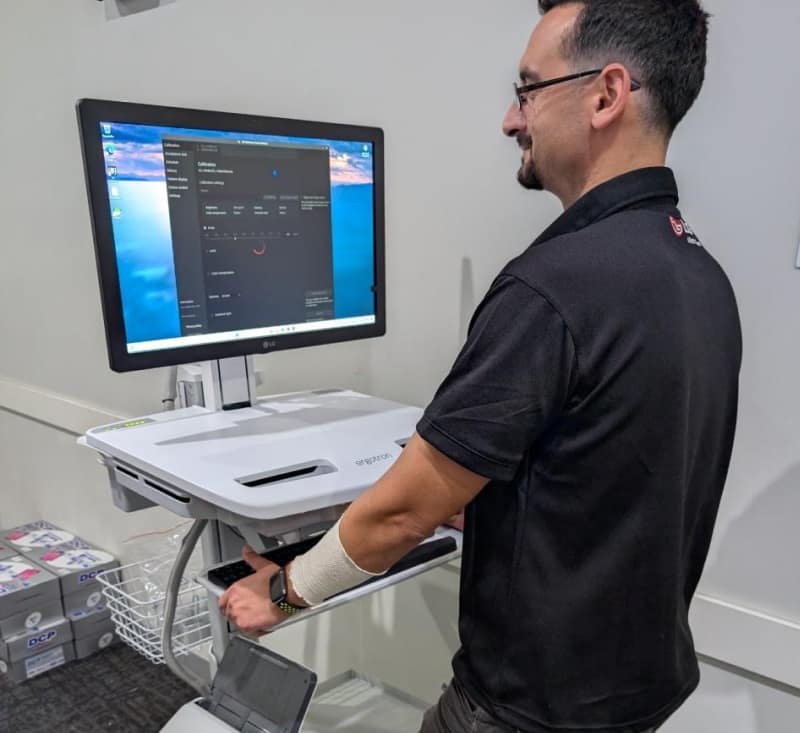 Mobile workstation: improving workflow efficiency at Quantum Radiology BankstownHow Ergotron mobile PC trolleys and an LG Clinical Review Monitor helped Quantum Radiology Bankstown adopt digital worksheets without sacrificing speed or ergonomics.Read article →
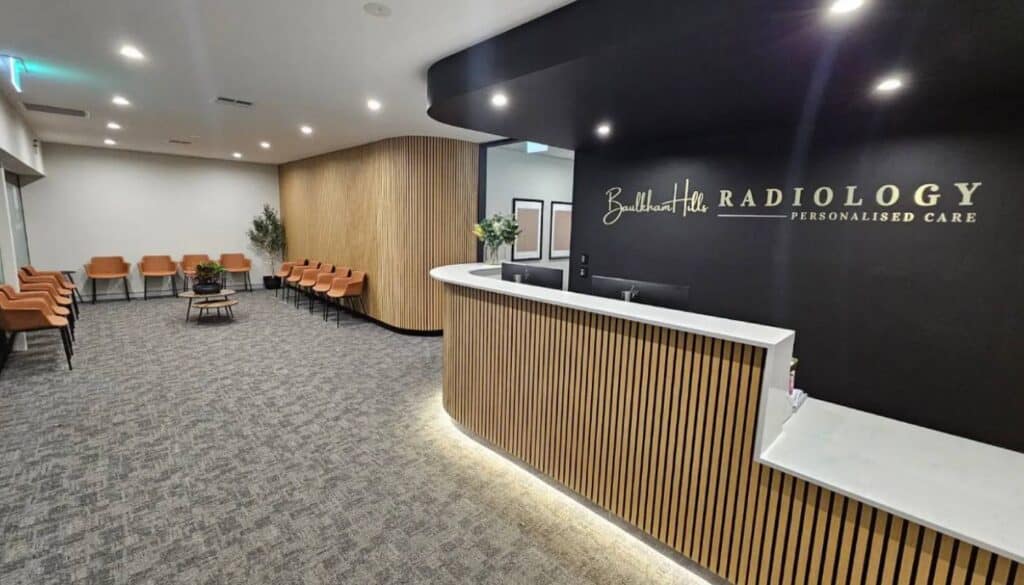 Full IT infrastructure fit-out for Baulkham Hills RadiologyCoordinated build for a live imaging site: HP clinical workstations, Fortinet HA networking and Wi-Fi, Voyager RIS/PACS with Ripple, LG diagnostic displays, 3CX voice, resilient internet, and Trucell managed operations.Read article →