

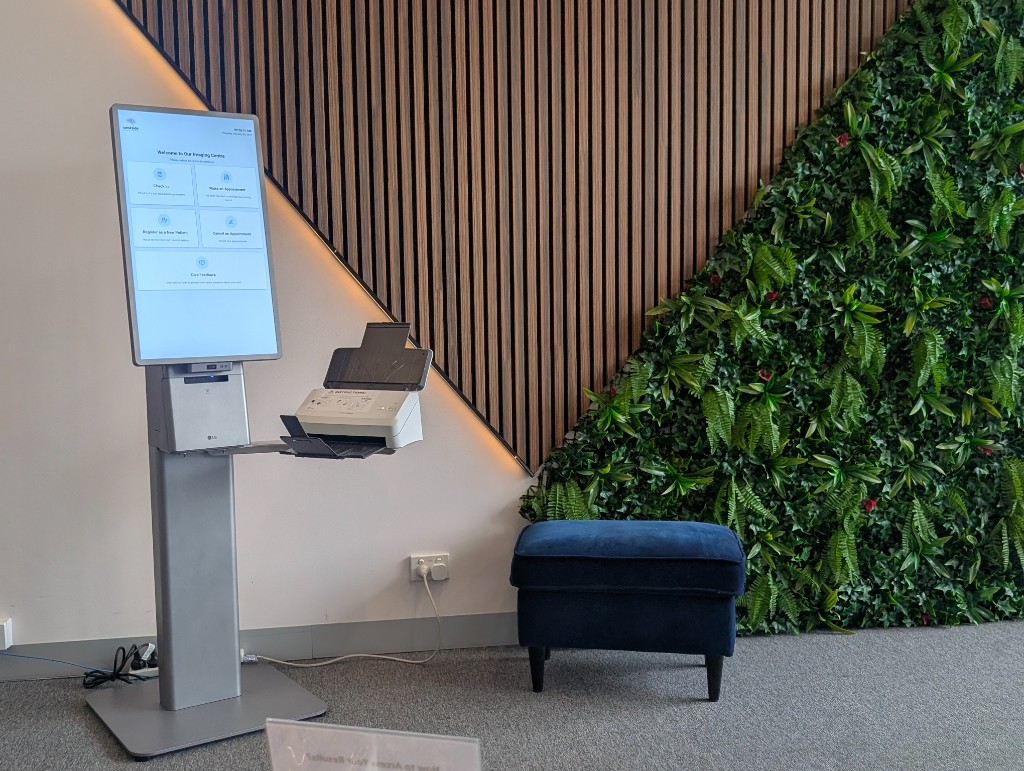
Shorten reception queues without pulling staff off the floor: self-service check-in and referral capture where policy allows, assisted paths for exceptions, and more consistent demographics and billing data into your RIS. Smart Kiosk is more than lobby hardware—Trucell designs workflow, integrations, layout, monitoring, and adoption under the same governance, security, and evidence bar as the rest of your imaging platform.
In the waiting room
Why reception queues and manual intake still break imaging workflows
Smart Kiosk targets practices where front-desk load, inconsistent registration data, and slow referral capture create downstream rework in RIS and billing—not a shortage of goodwill at the desk.
- Patients arrive in bursts; manual intake cannot keep pace without errors, duplicate records, or incomplete consent that delay appointments and reporting.
- Referral and Medicare details entered late or incorrectly propagate into scheduling, billing, and sometimes PACS context, creating avoidable remedial work.
- Self-service only works when workflow design, integration boundaries, and exception handling are agreed before hardware appears in the waiting room.
The problem is operational: throughput and data integrity at the edge of the clinical system. Smart Kiosk earns its place when intake is treated as part of the imaging platform and the arrival experience, not as an isolated kiosk purchase.
A better patient arrival workflow—not only hardware in the lobby
Smart Kiosk should reduce congestion, support reception staff, lift check-in consistency, and give clinics a contemporary front-of-house experience. That means designing arrival from car park or foyer through to ready-for-clinical staff, not only placing a touchscreen near the desk.
Patient arrival and pacing
Clear signals on what to do when patients enter during peaks: identify, confirm appointment context, and capture what can safely move off the counter without confusing vulnerable visitors.
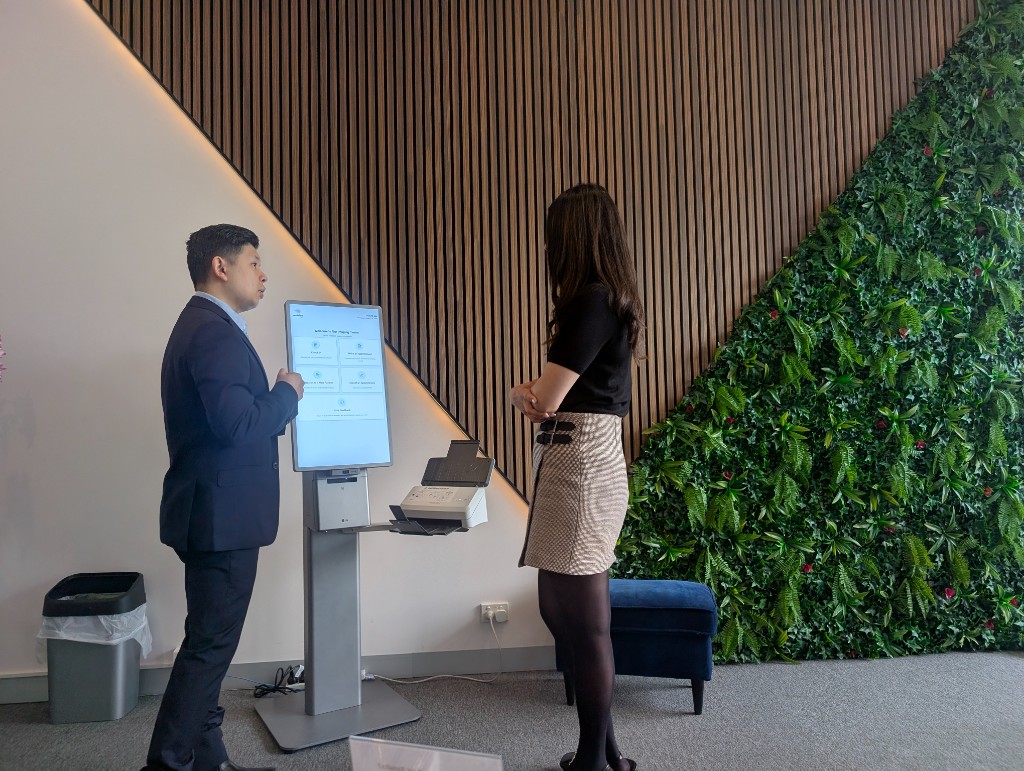
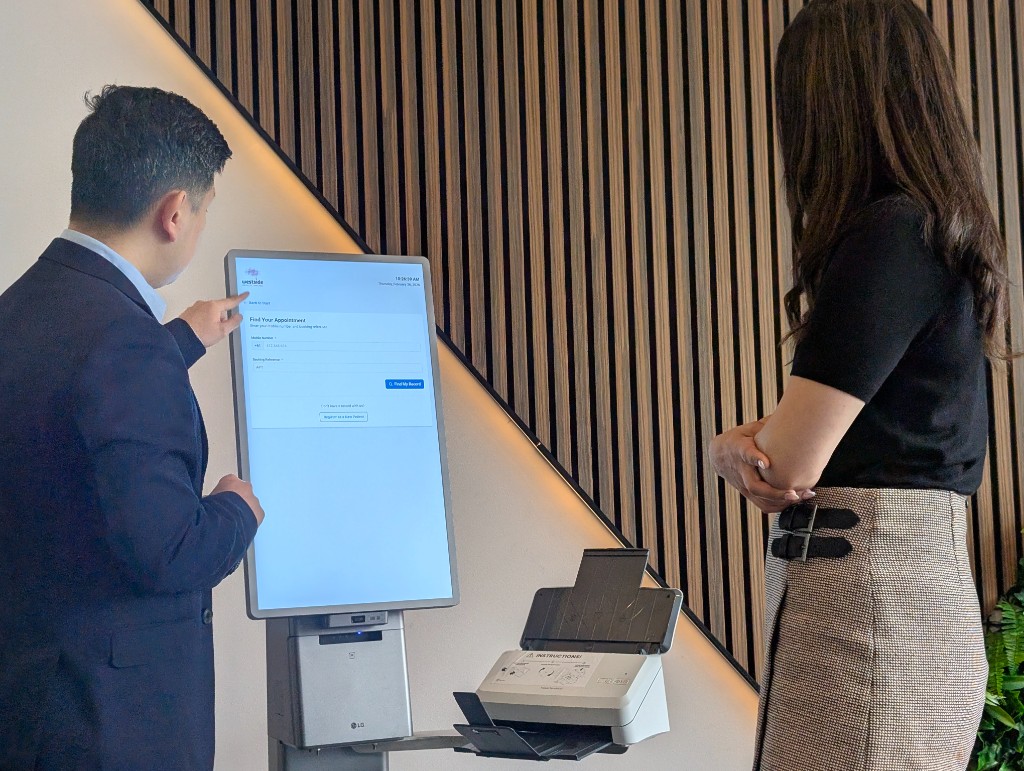
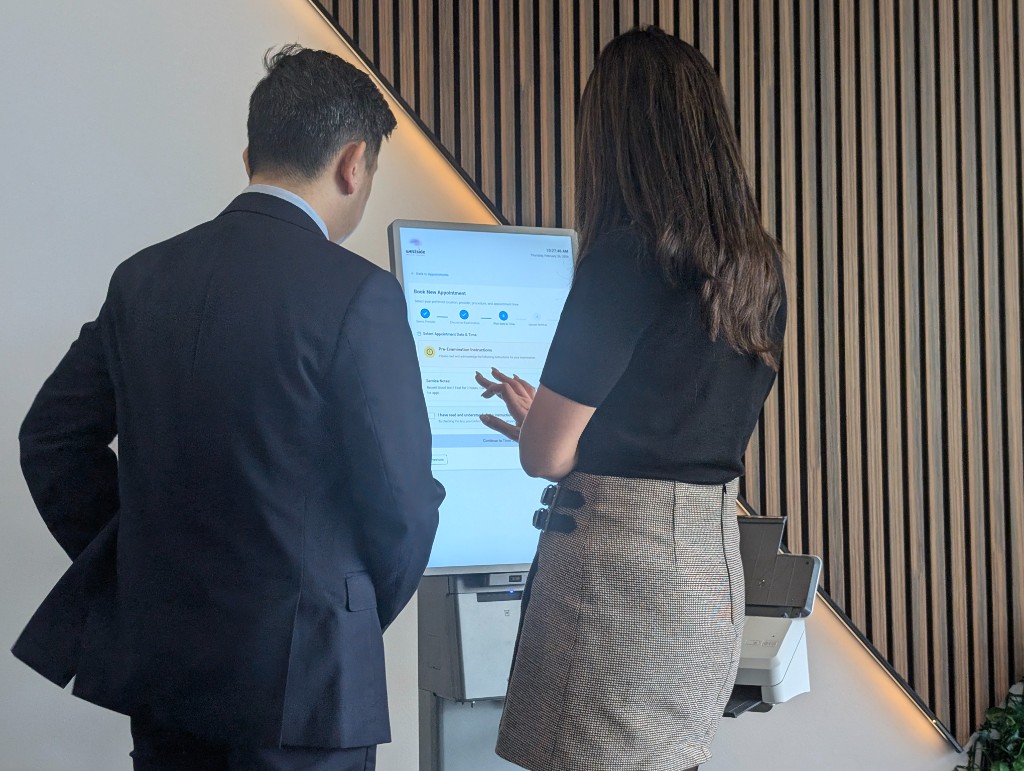
Assisted check-in beside self-service
Staff can intervene for complex referrals, language barriers, digital discomfort, or billing questions without abandoning self-service for everyone else—exceptions route cleanly instead of restarting the whole queue.
Reception as coordinator
The desk shifts toward triage, empathy, and decisions that need judgement while repeatable demographic, referral, Medicare, and consent steps land on the kiosk path where policy allows.
Who this solution fits
Australian imaging and specialist practices that need repeatable intake, validated demographics and referral data, and controlled write-back into RIS workflows—without replacing your core scheduling platform in one risky cutover.
Multi-site imaging groups
Standardise registration and check-in across locations while allowing site-specific forms and escalation paths.
High-volume outpatient departments
Move predictable steps off the counter so staff handle exceptions, complex referrals, and patient questions instead of repetitive data entry.
Teams under billing and compliance pressure
When Medicare validation, consent capture, and referrer details must be right the first time for claims and audit trails.
Accessibility, privacy, and queue discipline in the waiting room
Healthcare reception is a public space: patients read screens over shoulders, peaks create perceived unfairness, and privacy expectations are non-negotiable. Scoping addresses how the kiosk behaves under observation, how queues stay legible, and how assistive paths stay available.
Accessibility and inclusive design
Touch targets, contrast, language options where scoped, audio or staff assist paths, and consideration of height and mobility so the kiosk is usable alongside traditional counter service—not a replacement for human help where it is required.
Privacy and session hygiene
Orientation away from queues where possible, automatic timeout, minimisation of identifiable details on screen, and alignment to your consent and audit expectations so PHI is not unintentionally broadcast to the waiting room.
Queue management and fairness
Readable sequencing during bursts, cues when to wait versus see the desk, and handoff visibility so clinical teams understand who is ready—reducing duplicate calls and conflicting instructions between kiosk and reception.
What Trucell provides
We scope kiosk workflow design, integration boundaries with your RIS and identity posture, deployment sequencing, adoption with reception champions, and support ownership so go-live does not dump unresolved exceptions on the desk.
Workflow and form design
Define which steps run on kiosk versus desk, exception flows, and consent paths aligned to how your teams actually work.
Integration scoping
Clarify write-back rules to RIS, validation hooks, and what the kiosk may or may not change without staff review.
Rollout, adoption, and run-state
Phased deployment with desk-focused training, hypercare windows, adoption checkpoints, and alignment to your managed IT and service desk model so staff keep confidence under peak load.
Systems this sits alongside
Exact interfaces depend on your RIS vendor and revision, adjacent clinic systems, and referral feeds; Trucell validates assumptions early so procurement does not commit to kiosk hardware before integration reality is understood.
RIS, scheduling, and clinic context
Patient registration, appointment context, referral metadata, and controlled updates into scheduling workflows—including boundaries with GP feeds, allied health bookings, or shared clinic calendars when they affect the same patient visit, scoped per your vendor constraints.
Referral and Medicare validation
Capture and validation paths appropriate to Australian billing expectations, with explicit handling for incomplete or contested referrals.
Identity and kiosk security
Alignment with your Microsoft 365 or directory posture where relevant, kiosk lockdown, and audit expectations for patient-facing devices.
Hardware support, monitoring, and physical layout
Production kiosks need the same discipline as any clinical endpoint: dependable hardware, observable health, spare posture, and placement that respects cabling, privacy, and peak-hour circulation. Trucell aligns vendor SLAs with your MSP field model so faults route predictably.
Hardware lifecycle and break-fix
Ruggedised or healthcare-suited devices where appropriate, imaging and restore standards, spare or swap posture, and alignment between manufacturer response and Trucell field support so offline kiosks do not strand reception during peak clinics.
Monitoring and proactive signals
Endpoint visibility where in scope with your managed stack: offline detection, disk or patch drift, application health checks, and escalation paths that mirror how your team already handles workstations and servers—not a disconnected kiosk vendor queue.
Site layout and flow
Power and network drops, acoustic privacy from corridors, sightlines so patients see where to queue, wheelchair clearance, and collaboration with facilities so the kiosk reinforces traffic flow instead of blocking it.
How implementation typically runs
Sequence may compress or expand based on sites and vendor dependencies; the intent is accountable milestones with named owners.
Discovery and workflow map
Current intake path, exception volume, reception peaks, physical layout constraints, RIS touchpoints, and billing rules documented with imaging operations, facilities where relevant, and IT.
Integration design and sign-off
Agreed write-back behaviour, validation rules, test cases, and rollback posture before kiosk images are built.
Pilot site and tuning
Limited go-live with measured queues, staff feedback, and fixes before broader rollout.
Scale and operational handover
Repeatable deployment pack per site, support routing, and clarity on desk versus kiosk ownership for incidents.
Outcomes and why Trucell
Clients should expect measurable relief at the desk, cleaner upstream data, and a calmer waiting-room experience—not a kiosk bolted on without operational follow-through.
What good looks like
- Shorter peak-time queues and fewer manual corrections before the patient sees clinical staff.
- More complete referral and billing fields at booking, reducing back-office chase.
- Reception staff reporting confidence during bursts because assisted paths and escalation rules were rehearsed before go-live.
- Clear support path: kiosk, RIS, or network issues route to owners who can act, not a generic vendor queue.
Where projects go wrong
- Kiosk purchased before RIS integration rules are agreed, leading to rework or frozen scope.
- No hypercare plan: staff abandon the kiosk under pressure and the investment idles.
- Vendor-only support with no MSP alignment to your endpoints, identity, and service desk reality.
Send a quick scope brief
Share your context and timeline for Smart Kiosk. We will reply with a practical next-step recommendation.
Frequently asked questions
Common planning questions for Smart Kiosk.
What problem does Smart Kiosk solve for our practice?
It moves routine registration, check-in, referral capture, and Medicare validation into a controlled self-service flow so front desk teams handle exceptions and patient interaction instead of repetitive data entry—and so cleaner data reaches your RIS and billing paths.
Is Smart Kiosk only check-in at a screen, or a wider arrival workflow?
We position it as part of end-to-end patient arrival: pacing and clarity from entry, fair queue behaviour under load, assisted paths for patients who cannot self-serve, reception focused on judgement work, and handoff cues for clinical teams. The device is one component inside that design.
How do you handle privacy and accessibility in open waiting areas?
Scoping covers screen orientation and timeout, what appears on display, staff assist alternatives, inclusive touch and language options where agreed, and physical placement so PHI is less exposed to shoulder surfing. Exact controls depend on your policies and vendor capabilities.
What support is included after go-live?
Trucell aligns rollout support with your managed IT model: hypercare during pilot, documented escalation for kiosk versus application versus network issues, and ongoing pathways tied to the same service desk and change cadence you use elsewhere—not a one-off handover with unclear ownership.
Which systems does Smart Kiosk integrate with?
Integration is RIS-centric: scheduling and patient context, validated demographics, referral details, and controlled write-back per vendor capabilities. Where your practice uses adjacent clinic or GP feeds that affect the same episode, we scope boundaries and responsibilities with your RIS revision, identity stack, and billing rules before committing to deployment plans.
How are kiosks monitored and who fixes them when they break?
Trucell aligns monitoring and break-fix with your MSP model: offline and health signals where in scope, tickets into the same ITSM path you use for other endpoints, and clear split between hardware vendor, application, and network ownership so reception gets a single place to escalate.
Why use Trucell instead of ordering kiosks directly?
Hardware is the easy part. Trucell delivers healthcare IT integration discipline, Australian billing and governance context, and one accountable thread with your managed support, security, and network estate—so the kiosk works in production, not only in a demo environment.
Services that deliver this solution
Trucell service lines that scope, implement, and run the work behind this solution—with ownership and evidence your teams can trace through procurement and assurance reviews.
-
PACS & RIS
Radiology IT for imaging providers: uptime, image access, reporting workflows, modality and DICOM integration, PACS and RIS, storage, diagnostic displays, clinical kiosks, privacy, and vendor coordination—managed with one escalation path, not generic MSP defaults.
Read more -
IT support
Managed support with HaloPSA, NinjaOne, Zabbix, and NetApp-aware runbooks: one accountable story for the desk, endpoints, monitoring, and backup, with regional coverage including the Philippines, Australia, and Chile, ISO- and ITSM-governed delivery, and an honest RFP scorecard (SLAs, E8, and references).
Read more -
Strategic managed service
Board-to-desk IT strategy for organisations: TAM rhythm, defensible QBRs and panels, vCIO or vCTO depth, roadmaps that match budget and run-state, and co-managed IT with one queue.
Read more -
Programming and integration
In-house custom development and integrations: APIs, automation, and LOB apps with HaloPSA, RFP-friendly diligence, and handover into Trucell managed IT, security, cloud, and imaging, ISO-governed delivery, not a black box.
Read more -
Cloud
VPS, private cloud, NextDC and Equinix colocation (rack spaces, private cages, private suites), cloud access, connectivity, international networks, peering, high performance computing, remote hands, and Azure (AMMP): one accountable path from facility to stack, identity, backup, and IT support, with governance you can file and an RFP scorecard you can test.
Read more