

Published: By Trucell7 min read
Front-desk fit-out for Medical Imaging Erina: what a clinic reception build actually involves
Medical Imaging Erina front desk fit-out on the NSW Central Coast: HP all-in-ones, LG monitors, document scanners, 3CX handsets, and day-of sequencing.
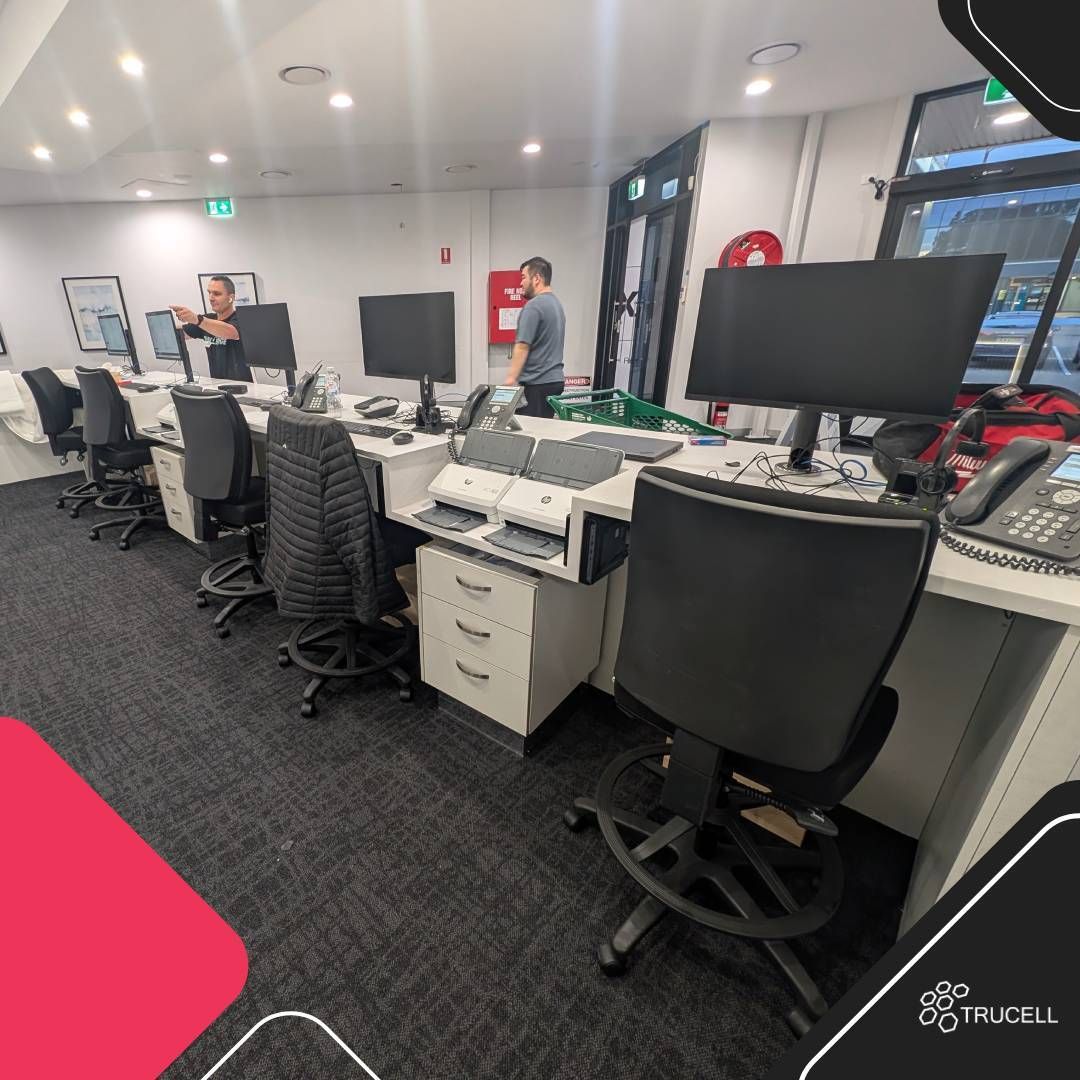
A radiology clinic lives or dies at the front desk. The radiographers and radiologists do the imaging and the reading, but every patient interaction starts and ends at reception, and so does every operational pinch point: long check-in queues, paper consent piling up, referrer faxes that never quite arrive, missed phone calls when both lines are busy, and the reception PC that boots for ninety seconds while a waiting room watches.
We recently completed a front-desk fit-out for Medical Imaging Erina on the NSW Central Coast. This article is a short walk-through of what a reception build like this actually involves, what we delivered for the Erina team, and (more useful for anyone reading this) what a practice manager should think about before commissioning one for a new or refreshed clinic.
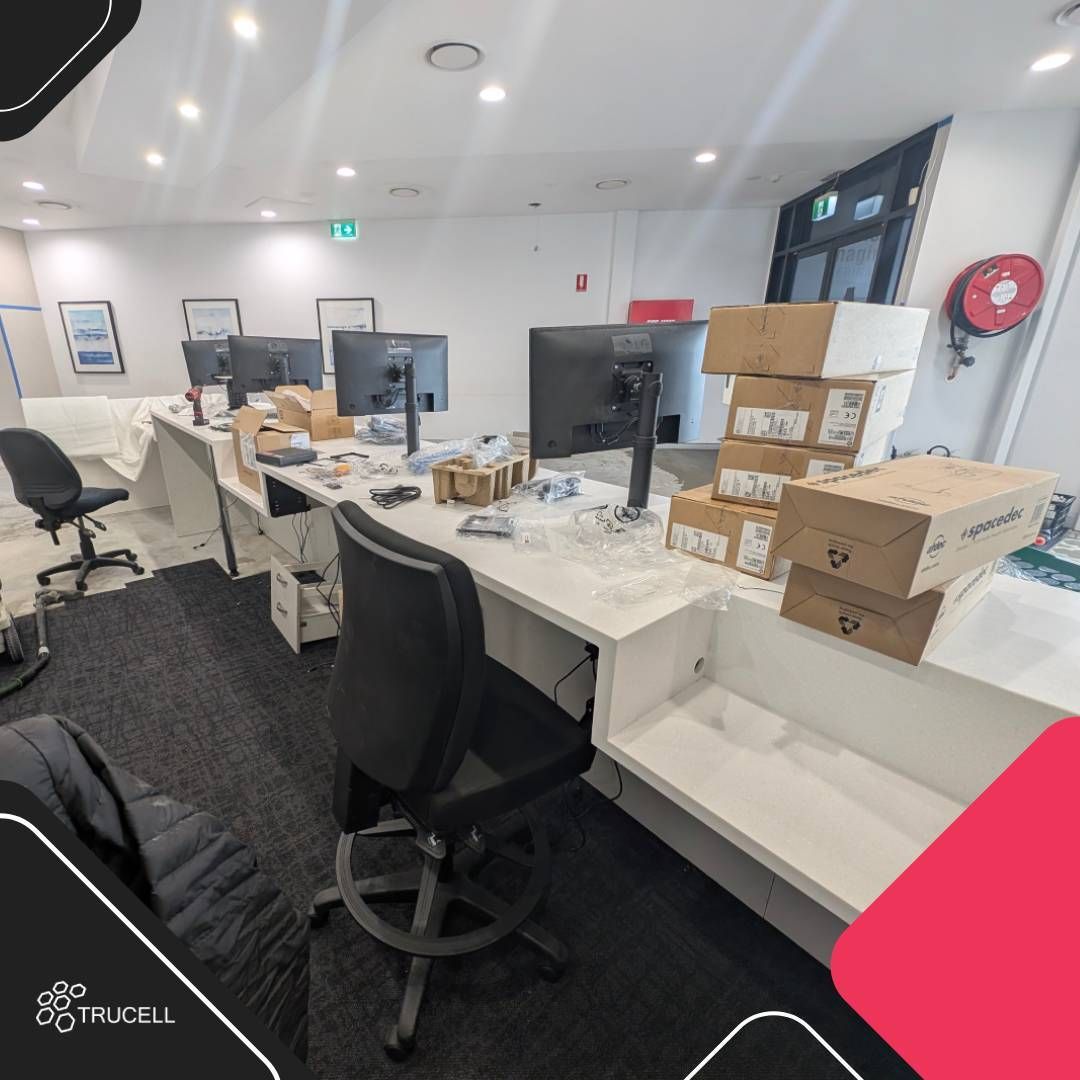
What a reception fit-out actually contains
A “reception fit-out” sounds like a single thing. It is not. It is the assembly of seven or eight separate decisions that all have to land on the same day:
1. Reception workstations
The PC each receptionist works at. The decision is rarely about CPU: it is about boot time, monitor real estate, ergonomics, and whether the unit fits cleanly under or behind the bench without becoming a heat trap or a cable nest.
For Medical Imaging Erina we deployed HP small-form-factor units with monitor-arm-mounted LG displays on Spacedec mounts, so each receptionist has dual screens (one for the booking system, one for the worklist or referrer comms) at proper eye height, with the CPU off the bench and out of the way.
2. Monitors and arms
Two screens minimum at modern radiology reception. One for the RIS / booking system, one for everything else (worklist visibility, referrer email, payment portal, intake forms). Cheap monitor stands eat bench depth and force receptionists into bad posture for an eight-hour shift. Proper monitor arms recover that bench depth and let each user adjust to their own height.
3. Document scanners
Reception still scans. Referrals, prior reports brought in by patients, Medicare cards, insurance details, and consent forms. We installed HP document scanners at each station so paperwork goes straight into the patient record and the paper goes into the shred bin, not into a tray waiting for someone to “do the scanning later”.
4. VoIP handsets
The phone system is part of the fit-out, not a separate project. We installed 3CX VoIP handsets at each station so reception can transfer between desks, hunt-group across the team, and pick up calls from any seat. A fit-out that ships without working voice on day one is a fit-out the clinic will remember for the wrong reason.
5. Network points and cabling
Every workstation needs a structured cable to a switch, plus a phone cable (or PoE for the handset), plus power. Reception benches usually have one neat run on the architectural drawing and twelve untidy ones in the actual cabinet. The fit-out is the time to put grommets, cable trays, and labelled patch leads in, not the time to defer that to a later visit.
6. Furniture, drawers, and ergonomics
Drawer pedestals, cable management, height-adjustable stools or chairs, anti-fatigue mats. None of this is IT, exactly, but it determines whether your receptionists are still functional at 4 pm. We coordinate with the joinery team so cable routes do not collide with drawer runners and the IT install does not require furniture to come back out a week later.
7. Print, MFP, and EFTPOS
A reception printer for forms, an MFP for higher-volume scanning if the desktop scanners are not enough, and EFTPOS terminals on the network the practice management system expects. These often get treated as someone else’s problem and arrive untested on go-live morning.
8. The line item nobody plans for
Spare cables, spare RJ45 plugs, spare patch leads, spare PSUs, a spare keyboard and mouse. Day-one go-lives produce one or two surprises every time. A small spares box on site, labelled, costs almost nothing and saves an hour of waiting for a courier.
What we delivered at Medical Imaging Erina
The completed fit-out covered the elements above plus the integration into Medical Imaging Erina’s existing IT environment: RIS access, identity, network segmentation, printer and MFP routing, and remote support tooling so the same Trucell engineers who built the line can pick up the phone next time something needs attention.
The clinic opened on schedule with smooth check-ins: patients arrive, the receptionist calls up the booking, captures the Medicare card and any priors, and routes the patient to modality without a queue forming behind them. Dual-screen visibility means the booking system, the worklist, and inbound referrer email do not have to share one viewport, and the build itself is professional inside and out: clean cable runs, monitor arms, scanners and handsets at every seat, and no rats-nest under the bench for the next engineer to inherit.
What to think about before you commission a similar build
If you are about to open a new clinic, refresh an existing one, or take on a site from another operator, the practical questions worth answering before the IT scope is signed:
- How many receptionists are on the line at peak? That sets the number of seats, the call-handling design, and the network point count. Under-sizing the line by one seat at design time costs thousands at retrofit.
- Single-screen or dual-screen? Dual-screen reception is now standard for radiology because of the parallel workflows (booking + worklist + referrer comms). Anything less should be a deliberate choice, not a default.
- Where does paper come in and where does it go? Referrals, priors, Medicare cards, consent forms. Each of those is a scanner workflow. A clinic without a scanner at every seat will do its scanning at one shared device and that device will become the bottleneck.
- What does the phone system look like? Hunt groups, transfer paths, voicemail-to-email, and after-hours forwarding all have to be configured before opening day. Voice is not a “phase 2” item.
- Who owns day-31 support? The fit-out vendor usually leaves on day 1. If the clinic does not have a clear support contract from day 2 onwards, the first failure becomes a scramble. Decide this before commissioning, not after.
- What is the cutover plan if you are migrating from an existing system? RIS, phone numbers, scanner workflows, and any prior referrer relationships all need a cutover sequence. Cutting all of them at once is a recipe for a bad opening week.
Related work
- Mobile workstation: Quantum Radiology Bankstown, Ergotron mobile PC trolley + LG Clinical Review Monitor for digital worksheet capture.
- Full IT infrastructure fit-out for Baulkham Hills Radiology, full-site build covering reception through reading rooms, networking, voice, and managed handover.
- HP All-in-One upgrade in Leichhardt, a smaller-scale memory upgrade that recovered reception speed without a full hardware refresh.
Next steps
If you are scoping a new clinic, refreshing an existing reception line, or moving into premises from another operator, contact Trucell#landing_page=%2Fblog%2Fmedical-imaging-erina-front-desk-fitout%2F with your site address, opening date, and the number of seats on the reception line. We will scope hardware, network, voice, and the cutover sequence with your operations team before opening day, not on it.
For the full Trucell view on radiology IT and clinical workspace builds, see PACS and RIS and Workstation.
Thank you to the Medical Imaging Erina team for the trust on this build.