

Published: By Trucell5 min read
How to check if your radiology display is still meeting brightness standards (free test kit)
DICOM monitor brightness drifts as panels age. Trucell ships a free test film to radiologists across Australia: what the check does and how to get a kit.
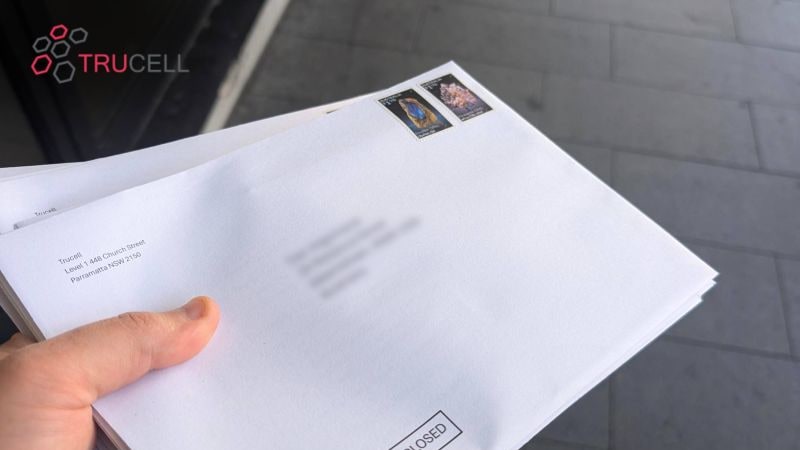
The displays in your reading room had a luminance specification on the day they were installed. Two years later, three years later, five years later, the question is whether they still meet it. Backlights age. Ambient light in the room changes after a refit. The radiologist who reads on the same workstation every day is the worst-placed person to notice slow drift, because the eye adapts to it.
Trucell ships a free DICOM test film kit to radiologists across Australia so you can do a quick visual screening check on your own displays. This article explains what diagnostic monitor brightness actually means, how the test film works, what the result tells you (and what it does not), and how to get a kit in the post.
Why diagnostic monitor brightness matters
Diagnostic displays are calibrated to a luminance reference so that a given pixel value renders as a predictable amount of light. The standard radiology cluster sits around 500 cd/m² maximum luminance for general radiology, with mammography reading typically calibrated to 1000 cd/m² or higher because subtle tissue contrast in dense breast tissue lives in the high-luminance end of the curve.
The standard most groups reference is the DICOM Grayscale Standard Display Function (GSDF), defined in DICOM Part 14. GSDF maps pixel values to luminance in a way that matches human visual perception. Two displays that both meet GSDF will render the same study with the same perceived contrast, regardless of panel technology. That is the whole point of having a standard: a finding visible on one calibrated display is visible on another.
When a panel drifts away from its calibrated curve, it does not warn you. The display still turns on. Patient images still appear. The change shows up only in the parts of the greyscale where contrast was already marginal: dim subtle findings get dimmer, low-contrast lesions blend further into background, the reading session takes a little longer.
How brightness drifts (and why you might not notice)
Three things are working against your displays in any given year.
Backlight ageing. LED backlights lose output over time. Manufacturers rate panels for tens of thousands of hours at calibrated luminance, but reading-room displays often run continuously, and the rate of decline accelerates near end of life. A display rated for 500 cd/m² when new can drop below the calibrated point years before anyone replaces it.
Ambient light changes. Reading-room refits, new lighting, blinds replaced with sheers, a window unblocked when furniture moves. The display’s calibration was done against the ambient light of the day it was set up. Change the ambient light and the perceived contrast changes too, even if the panel has not drifted.
The adaptation trap. Radiologists who read on the same workstation every day adapt to gradual drift. The brain pulls perceived contrast back toward what it expects to see. The same person, asked to look at a fresh, freshly calibrated display, will immediately notice the difference. Looking at the drifted display in isolation, they will not.
This is why a periodic external check matters. The radiologist cannot reliably self-assess their own display.
What is in the free test kit
The kit is a small envelope containing a DICOM test film: a printed transparent film with reference greyscale patterns. The radiologist places the film against the monitor with a relevant test pattern displayed on screen, compares the on-screen rendering to the printed reference, and records what they see.
The test takes a few minutes per display. There is no installation, no software, no probe to plug in. The whole kit fits in a standard mail envelope.
What the result tells you (and what it does not)
We are deliberate about this part because the test film is a screening check, not a formal quality-assurance measurement.
What the test film tells you:
- Whether your display is broadly tracking the expected greyscale curve, by eye.
- Whether anything has shifted enough to be visible against a printed reference.
- Whether your reading-room ambient light is in a sane range for the displays you have.
What it does not replace:
- Formal AAPM TG18 quantitative QA against a calibrated luminance probe.
- Annual service and recalibration on displays that depend on it.
- The vendor’s own self-calibration cycle on displays that have one built in.
- RANZCR and your accreditation body’s expectations for documented QA.
If the test film flags drift, the next step is a real measurement, not a panic. If it does not flag anything, you have a low-effort baseline that says “my displays are at least visibly tracking the standard today.”
What to do if your displays have drifted
Three sensible paths, depending on the display you have today.
Recalibrate, if your display has built-in self-calibration. Modern LG diagnostic monitors run a calibration cycle automatically against an internal sensor, no external probe required. The drift may simply mean the schedule needs to be more aggressive, or the room conditions have changed. We covered this directly in the Westmead Lunch and Learn on LG diagnostic and digital X-ray detector technology.
Service, if the display is older and depends on an external probe and a service-based calibration cycle. Trucell can arrange the calibration visit and document the result for your QA file.
Refresh, if the display has aged out of useful service or the calibration drift cannot be corrected. The current LG diagnostic monitor range, including the 12MP mammography line, is built around automated DICOM Part 14 self-calibration so the drift problem largely manages itself once installed. For NSW public-health buyers, the NSW Health Standing Offer Agreement HSSP_HC22_AME885 is the procurement path.
How to register for a kit
Three steps:
- Go to dicomtest.trucell.com.au/testkit and fill out the form.
- The kit arrives by post.
- Test your displays and let us know what you found.
The kit is free, the test is non-intrusive, and there is no obligation attached. If the result tells you everything is fine, that is a good answer to have on file. If it tells you something has drifted, you have caught it before it started affecting reads, which is the entire point.
Talk to us
If your test result raises a question (or if you would rather start the conversation about a refresh, recalibration, or NSW SOA procurement directly) we can scope the displays, mounts, and reading-room context that fit how your team actually reads, not a one-size demo. Use the form below to start the conversation.